
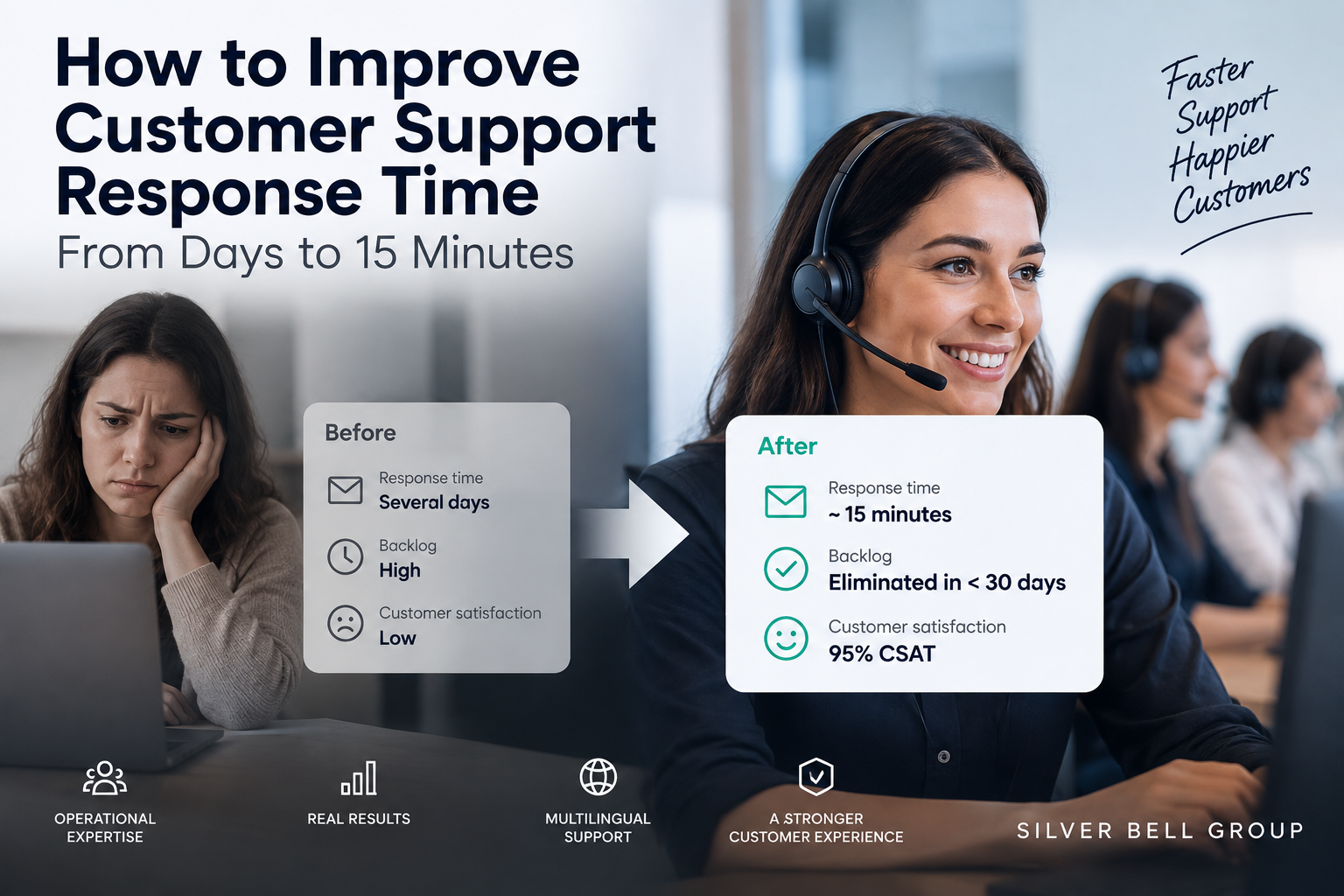
Slow customer support response time rarely improves just because agents are told to work faster. In most teams, the real issue is operational design: too much incoming demand, too little available capacity at the right times, weak prioritization, and unresolved backlog that keeps growing. The fix is to separate old work from new work, assign capacity deliberately, tighten escalation paths, and monitor queues before they break. In one Silver Bell Group ecommerce customer support engagement, that approach reduced response time from several days to about 15 minutes, eliminated the existing backlog in under 30 days, and reached 95% CSAT in a multilingual environment.
Table of Contents
Key takeaways on customer support response time
Slow customer service response time is often treated as an agent problem. It usually is not. Most of the time, it signals that demand is entering the operation faster than the team can absorb it.
- Slow response times often point to capacity and workflow problems, not poor individual effort
- Backlog and live demand: Treat them as separate workloads
- Fast customer service response matters in ecommerce because support questions often sit inside the buying decision
- One verified example: In a Silver Bell Group engagement, response time dropped from several days to about 15 minutes, backlog was cleared in under 30 days, and CSAT reached 95%
- Speed should be read alongside resolution quality, backlog volume, and customer satisfaction
What customer support response time means
Customer support response time is the time a customer waits before receiving a reply after submitting a question, complaint, or request. That sounds simple, yet teams often mix several metrics together and miss what customers are actually experiencing.
First Response Time measures how quickly the first reply is sent. Average Response Time looks at responsiveness across all replies, not just the first one. Resolution Time tracks how long it takes to fully solve the issue. A team can have a strong first response and still deliver a poor customer experience if the case then sits unresolved for days.
That distinction matters when reviewing any average customer service response time or customer support response time benchmark. A short first reply is useful, but it is not the whole story.
Why customer support response time matters
Customers do not experience support as a spreadsheet. They experience it as waiting.
When support is slow, customers often send follow-up messages, open duplicate tickets, abandon carts, cancel orders, leave reviews, or lose confidence in the brand. The support queue grows, and the team gets pulled into even more reactive work.
For ecommerce customer support, the commercial effect is direct. A customer asking about delivery, returns, sizing, payment, or stock may still be deciding whether to buy. In that setting, customer support response time influences both customer satisfaction and revenue.
Why customer support backlogs develop
A customer service backlog forms when incoming work keeps outpacing the operation’s ability to process it. That can happen even when a team looks busy and committed.
Common causes include demand that exceeds capacity, poor workforce allocation across shifts or channels, weak prioritization, slow escalation to specialist teams, repeated contacts from waiting customers, and sudden spikes from growth or seasonal peaks. Sometimes the company has enough total people, but not enough people in the right channel, language, or time window.
The most damaging pattern is the feedback loop:
Slow response → customer follows up → more contacts enter the queue → backlog gets larger → response becomes even slower
Once that loop starts, simply asking agents to move faster usually has little effect. The system itself has to change.
How to reduce customer service response time
Operational recovery starts with visibility. If the team cannot see the shape of the workload, it cannot fix it.
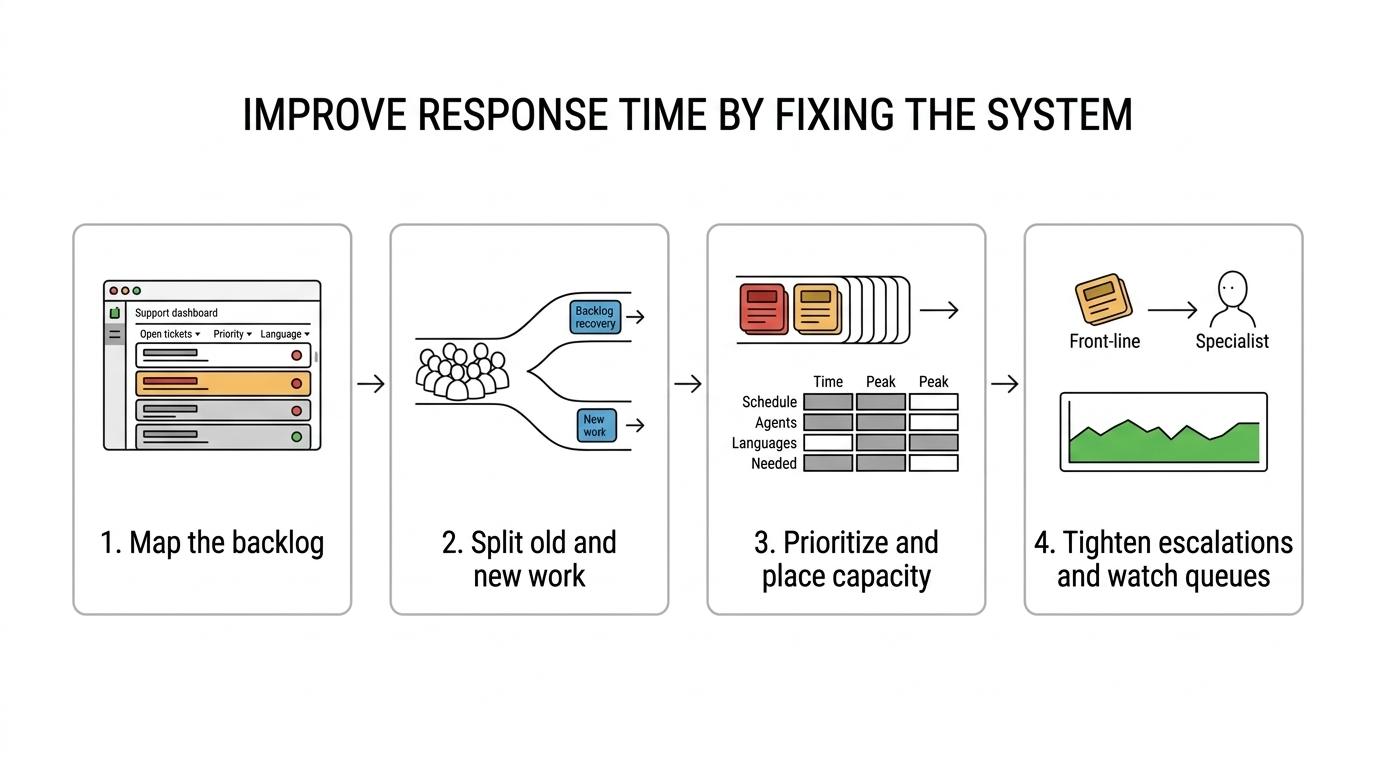
1. Measure the existing customer service backlog
Start by mapping open interactions by age, priority, channel, issue type, and market or language where relevant. Without that baseline, any recovery plan is mostly guesswork.
A backlog made of yesterday’s low-risk questions needs a different response than a backlog filled with payment failures, shipping issues, or unresolved escalations.
2. Separate backlog recovery from daily support operations
This is one of the biggest mistakes support leaders make. Old tickets and new incoming contacts are not the same operational problem.
If the whole team attacks the backlog, today’s inquiries become tomorrow’s backlog. If the whole team focuses only on new messages, older customers keep waiting. Capacity has to be split with intent.
3. Introduce clear customer support prioritization
Not every ticket deserves the same place in line. Priority should reflect customer impact, urgency, commercial importance, issue age, and escalation risk.
That does not mean low-priority customers get ignored. It means high-impact cases are protected from being buried inside a single undifferentiated queue.
4. Align workforce capacity with customer demand
Review when demand arrives, through which channels, and in which languages. A team may look fully staffed on paper while still being under-covered during peak hours or in high-demand markets.
This is where many fast customer service response improvements come from. Not from working harder, but from placing available capacity where demand actually exists.
5. Improve customer support escalation paths
Escalation delays create hidden waiting time. A customer may receive an initial reply quickly, yet still wait far too long because first-line support cannot move the issue forward.
Define what front-line teams can solve on their own, what requires another function, and how those handoffs should happen. Good escalation design reduces queue friction and protects service quality.
6. Monitor customer support metrics continuously
Monthly reports are too late for queue management. Teams need live or near-live visibility into response times, backlog growth, ticket age, and escalation pressure.
If you are also reviewing call performance, related service metrics matter as well. Resources on what is a good call center service level, what is a good call abandonment rate, and how to reduce missed calls in a call center help connect written support and voice support into one operating view.
Real operational evidence from a multilingual ecommerce support engagement
Silver Bell Group applied this recovery and optimization model in a multilingual ecommerce customer support operation that had response times measured in days and a significant existing backlog. The immediate goal was twofold: remove historical queue pressure and stop new contacts from forming a fresh backlog.
The outcome is useful because it shows that faster response did not have to come at the expense of experience quality.
| Metric | Result |
|---|---|
| Customer Response Time | Several days to about 15 minutes |
| Existing Support Backlog | Eliminated in under 30 days |
| Customer Satisfaction | 95% CSAT |
| Support Environment | Multilingual ecommerce |
These figures are Silver Bell Group first-party operational results from one customer support engagement. They are evidence of what was achieved in that setting, not a universal customer support response time benchmark.
Why the 95% CSAT result matters
Speed alone can produce the wrong behavior. If a team is pushed only to reply faster, responses may become shallow, incomplete, or overly scripted.
That is why the 95% CSAT result matters. In this case, a major drop in waiting time happened alongside strong customer satisfaction. The lesson is clear: faster support is valuable when the response is still useful, accurate, and confidence-building.
Customer support response time versus resolution time
A customer can receive a reply in five minutes and still wait three days for the actual fix. That is good First Response Time, but weak customer experience.
Teams should review response performance next to resolution metrics. Otherwise, they may celebrate speed while customers remain stuck. This is especially relevant in ecommerce customer support, where order problems, returns, account issues, and payment questions often require cross-team action.
A practical scorecard should include response time, resolution time, first contact resolution, reopened tickets, backlog volume, escalation rate, and CSAT.
When slow customer support points to an outsourcing decision
Some teams clear backlog once and then watch it come back. That usually means the structural issue remains in place.
Customer support outsourcing becomes worth serious review when internal hiring cannot keep pace, seasonal spikes repeatedly overwhelm the team, multilingual coverage is difficult to staff, support demand exceeds current hours, or leaders spend too much time patching service gaps. The right partner should not just take tickets. The partner should add capacity and operating discipline so the same customer service backlog does not return.
If that discussion is active, it helps to compare Customer Support Outsourcing with a broader guide on when should you outsource customer support.
What customer support metrics you should monitor
Metrics only help when they explain operational reality. A narrow focus on one number can hide serious problems elsewhere.
| KPI | What It Tells You |
|---|---|
| First Response Time | How quickly customers receive initial support |
| Average Response Time | Overall responsiveness of the operation |
| Resolution Time | How long issues take to fully resolve |
| Backlog Volume | Whether demand is exceeding capacity |
| Ticket Age | How long unresolved customers have been waiting |
| First Contact Resolution | How often issues are solved without additional interactions |
| CSAT | How customers evaluate the support experience |
| Escalation Rate | How frequently first-line support requires additional intervention |
Customer support response time improves when the system improves
Support leaders often react to slow queues by pushing harder on individual productivity. That can help briefly. It rarely fixes the root cause.
Sustainable gains come from a support system where demand is visible, backlog is measured, live work is protected, capacity follows demand, and quality remains measurable. The Silver Bell Group engagement is useful because it reflects that broader point. Moving from several days to about 15 minutes, while clearing backlog in under 30 days and reaching 95% CSAT, was not just faster replying. It was a stronger operating model.
FAQ about customer support response time
What is a good customer support response time?
There is no single number that fits every business. A good customer support response time depends on channel, industry, customer expectations, urgency, and the commercial context. Live chat often requires much faster response than email. Ecommerce order issues usually need quicker attention than lower-risk informational questions.
How can companies reduce customer service response time?
The best path is operational, not cosmetic. Measure the backlog, separate old work from new demand, prioritize clearly, place staffing where demand actually appears, tighten escalation paths, and monitor performance continuously.
What causes slow customer support response times?
The usual causes are demand exceeding capacity, backlog accumulation, poor staffing alignment, inefficient workflows, escalation delays, and repeated follow-up contacts from customers who are still waiting.
Does faster customer support improve customer satisfaction?
It can, when speed is paired with useful resolution. Faster replies that do not solve the problem can leave customers just as frustrated. In the Silver Bell Group ecommerce engagement cited here, response time improved to about 15 minutes while CSAT reached 95%, showing that speed and quality can improve together in the right operating model.
When should a company outsource customer support?
Outsourcing becomes a strong option when the internal team cannot maintain service standards across volume, languages, hours, or seasonal peaks. The decision should be based on operational fit, not just labor relief. The goal is a support function that can keep pace with customer demand without rebuilding the backlog.